On this page
A Samsung oven not heating is sorted first by what Samsung prints for that model on Samsung support. Control Lock and Sabbath mode exist on many Samsung ranges. The icon on your display and the key chart in the manual are the exit. There is no universal hold-time that fits every series. Shared observations that apply to any brand, such as a full preheat and a cooktop that still works, are in oven not heating up. The pattern below is Samsung's, especially the stall near 175°F.
Lock, Sabbath, and the wrong mode
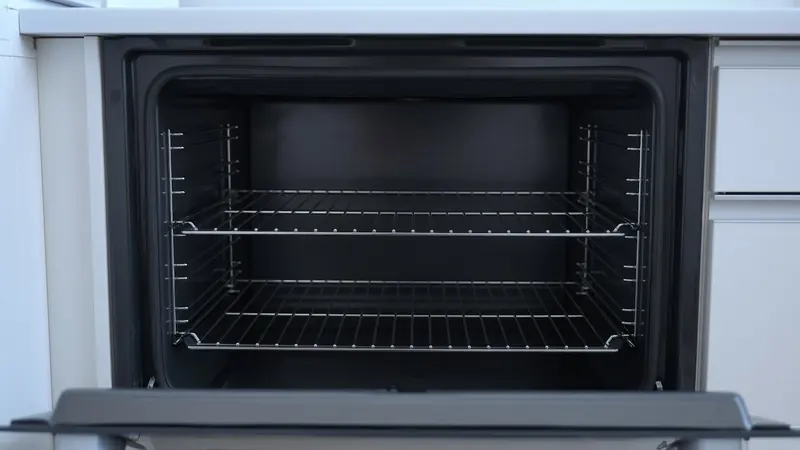
A Samsung oven not heating up from a cold cavity is sometimes not a heating failure. Warm, proof, and a low hold will sit far under a baking temperature on purpose. Control Lock ignores the Start key. Sabbath limits what the panel will do and can keep a normal Bake from running the way you expect. Match the icon. If the manual for this model number says the clock must be set, or that a demo mode is active, follow that page. Do not try a sequence photographed from a different Samsung range.
Select Bake and a setpoint you actually cook with, such as 350°F, only after the lock is off. Put an oven thermometer on the center rack. Leave the door closed through preheat. A microwave that runs and leaves food cold is not this fault. That is a high-voltage stop, with the cover left on, in microwave not heating.
The stall near 175°F
A Samsung oven not heating over 175 is the report to take seriously when the display climbs toward about 175°F and will not go on. That stall can be a warm mode, Sabbath mode, or Control Lock, or it can be a failed sensor or heat circuit. Read the mode name on the panel before you assume the sensor. If the manual shows you are in Bake, the lock is off, and the cavity still will not pass that low plateau, stop. On a gas range, stop before any gas valve. Do not adjust the valve or the orifice to "help it climb."
A Samsung oven not heating properly is a different shape. The temperature passes 175°F, preheat completes or nearly does, and an oven thermometer then misses the setpoint by a wide margin. A small miss that your manual lists as a temperature offset can be changed only by that book's steps. A large miss, or a cycle that heats and then falls back, is a sensor or a heat circuit for a technician. Do not scrape the sensor or bend it to change the reading.
| What you notice | Likely cause | Safe check |
|---|---|---|
| Lock icon, Start does nothing | Control Lock on this Samsung series | Exit it with the key chart for this model |
| Sabbath on the display | Sabbath mode limiting Bake | Use the manual's exit, not a borrowed button hold |
| Display sits near 175°F and will not climb | Warm mode, Sabbath, lock, sensor, or heat circuit | Confirm Bake is selected. On gas, stop before the valve |
| Passes 200°F, thermometer far from the setpoint | Offset, sensor, or heat circuit | Use only a small offset the manual prints. Otherwise stop |
| Gas cooktop lights, oven does not | Oven ignition separate from the burners | Turn the oven off. Do not touch the valve or orifice |
| Electric Bake selected, element stays dark | Oven heat circuit | Do not remove the element. Hire a technician |
Samsung checks, then a hard stop
Match the icon to this model's chart
Photograph the display if that helps you compare it with the manual. Exit Control Lock or Sabbath only as this model describes. If a child-lock or demo wording appears in that book, use those steps too. A panel that still will not enter Bake is not an element you should unbolt.
Confirm you are in Bake, not Warm
Warm and proof are supposed to stay low. Cancel them, select Bake, and enter a normal setpoint. Keep pans off the back-wall sensor. An oven thermometer on the center rack is the record of what the cavity did.
Time a stall at about 175°F
If the numbers rise into the mid-100s and freeze, write down the mode that was selected and how long you waited with the door closed. One patient preheat is enough. A second cycle that stalls in the same place, with Bake confirmed and the lock off, is the end of mode testing.
Separate a small miss from a dead heat circuit
If the oven passes 175°F and finishes near the setpoint, compare the thermometer. Apply an offset only if the manual prints one and the error is inside the range it allows. If the element on an electric Samsung stays dark, or the temperature collapses, stop. Do not pull the element.
On gas, stop before the valve
Cooktop burners that light only prove the surface. If the oven igniter glows and a stable flame never follows, or the stall at 175°F continues in Bake, turn the oven off. Do not adjust the gas valve or the orifice. Ventilate if you smell gas, and hire a qualified technician.
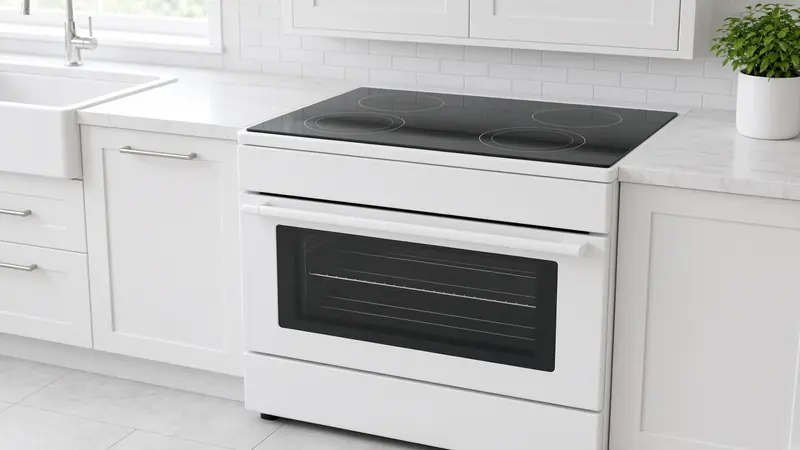
A dryer that will not heat is a laundry circuit, including vents and a 240-volt breaker on many electric dryers, in dryer not heating. Samsung range notes belong with ovens and stoves, beside the general preheat checks linked above.
What Samsung support will ask
Have the model, a photo of the display including any lock or Sabbath icon, and the thermometer reading. Say whether the stall was near 175°F or whether the oven passed that point and then missed. Say gas or electric, and whether the cooktop still worked. On gas, say that the oven was turned off and the valve was not adjusted. Those facts keep the visit on a sensor, a board, or an ignition fault instead of a mode you could have cleared from the manual.
Questions readers ask
Why does my Samsung oven stop around 175°F?
A stall near 175°F can be Warm or another low mode, Sabbath, or Control Lock, or it can be a failed sensor or heat circuit. Confirm the icon in the manual for your model. There is no single button sequence. If Bake is truly selected, the lock is off, and a second preheat still sits at that plateau, stop. On a gas range, stop before the gas valve and do not adjust the orifice.
How do I turn off Control Lock or Sabbath on a Samsung range?
Use the icon on your display and the key chart in the manual for that model number. Samsung has used more than one sequence across ranges, so a hold-time from a video can lock a different series harder. If the manual's steps do not clear the icon, stop and use Samsung support for that model. Do not pull the control apart to defeat the lock.
The cooktop works. Does that clear the oven?
It clears a dead supply to the whole range. Surface burners and the oven heat separately. If you are in Bake, the lock is off, and the oven still will not heat, follow the thermometer. On gas, a cooktop flame does not authorize any work on the oven valve or orifice. Turn the oven off and hire a technician if it will not light.
The oven heats, just not to the temperature I set. Is that the 175 stall?
Only if it never gets past about 175°F. If it climbs well beyond that and then misses the setpoint, call it a temperature miss. A small error can be the offset your manual allows. A wide error, or a temperature that rises and then falls, points to the sensor or the heat circuit. Do not bend the sensor. On gas, still do not adjust the valve.
Can I swap the temperature sensor myself from a generic guide?
Not from this page. A sensor failure is one possible cause of a stall or a wild miss, and the replacement steps, connectors, and checks belong in that model's service material with the power removed. Homeowner work here stops at the mode, the lock, the thermometer, and, on gas, a full stop before the valve. Hire a technician for the part.